
wBlock
The next-generation ad blocker for Safari.


go on, click the buttons
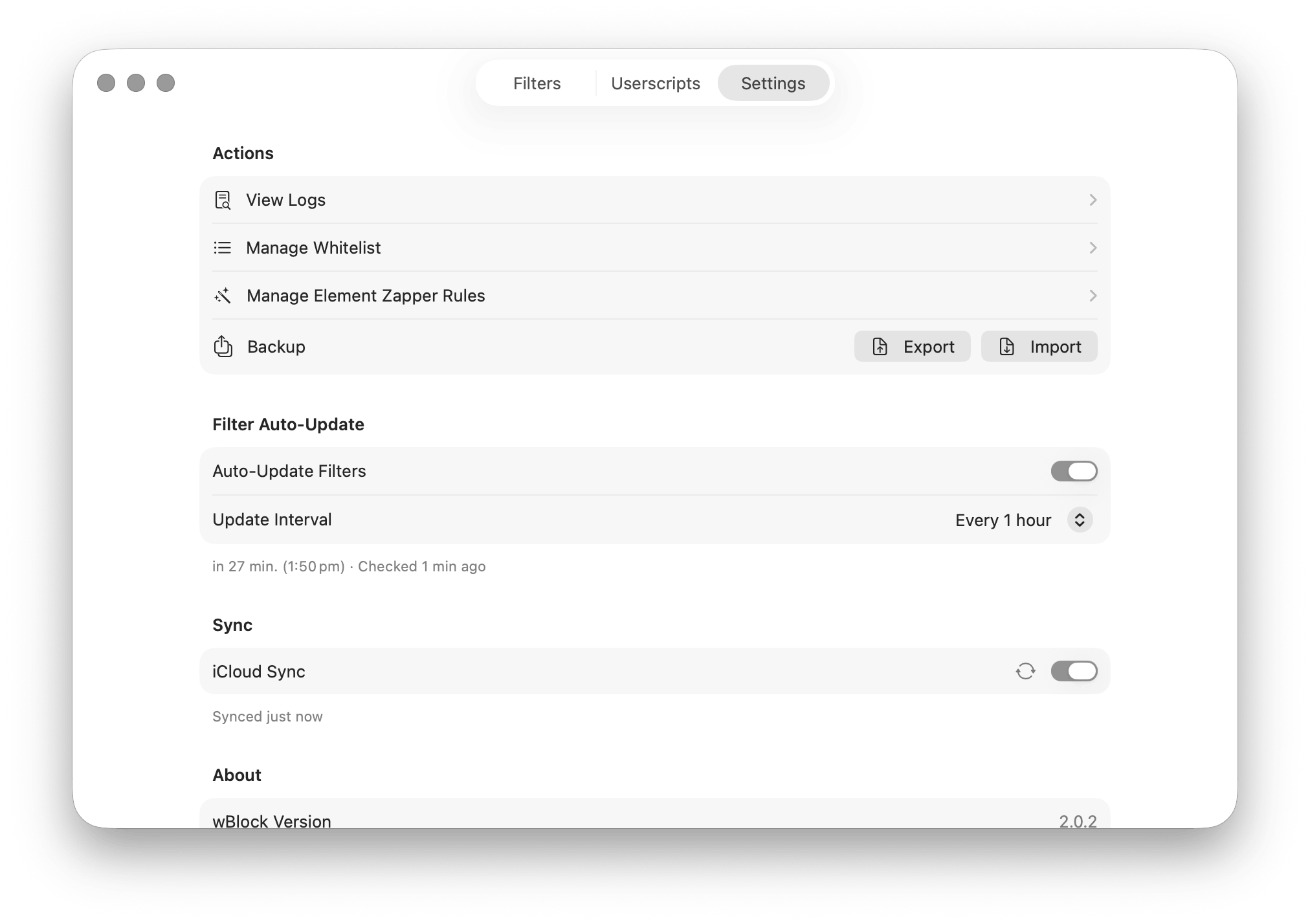
Safari caps each content-blocker extension at 150,000 rules, and static rules cannot run scripts. wBlock uses five blocker extensions, then adds userscripts, custom styles, an element zapper, and automatic list updates. The app also shows its rule counts and timings. Safari-native wBlock compiles AdGuard-style lists into Safari's native content-blocker rules and spreads them across five extension slots for up to 750,000 rules. Matching runs out-of-process, so idle overhead sits around 40 MB and page loads never wait on a live interception script. It shows source rules, converted Safari rules, conversion time, reload time, and the categories touched by each change. Auto-updates run every hour to every 7 days. On macOS a bundled launch agent keeps checking while the app is closed. Updates use HTTP conditional requests (If-Modified-Since / ETag), so only what changed gets downloaded. Beyond rules Content blockers are compiled rule sets, not a scripting environment. wBlock adds the missing layers. Userscript engine. Greasemonkey-style runtime with Tube Cleaner & Player Cleaner. Optional built-in userscripts that turn existing media elements into native Safari players before first paint. Picture-in-Picture and background playback come back. Tube Cleaner targets YouTube (SponsorBlock and optional DeArrow built in). Player Cleaner handles video.js, JW Player, Plyr, Flowplayer, MediaElement, Clappr, Media Chrome, and more. Element Zapper. Visually select and hide page elements from Safari on macOS, iOS, iPadOS, and visionOS. Userstyle support. Install UserCSS themes ( URL tracking-parameter stripping. Removes UTM and other tracking params, unwraps shortener and redirect URLs. Everywhere Filter selections, custom lists, userscripts, and whitelist entries sync across macOS, iOS, and iPadOS over iCloud. The element zapper is one tap away from the Safari extension popup on every device. Custom filter lists can be added by URL, paste, or file import. Any AdGuard-syntax blocklist works. Per-site controls let you disable blocking, toggle userscripts, and switch zapper rules per domain.Blocking that lives inside Safari
Userscripts and page controls
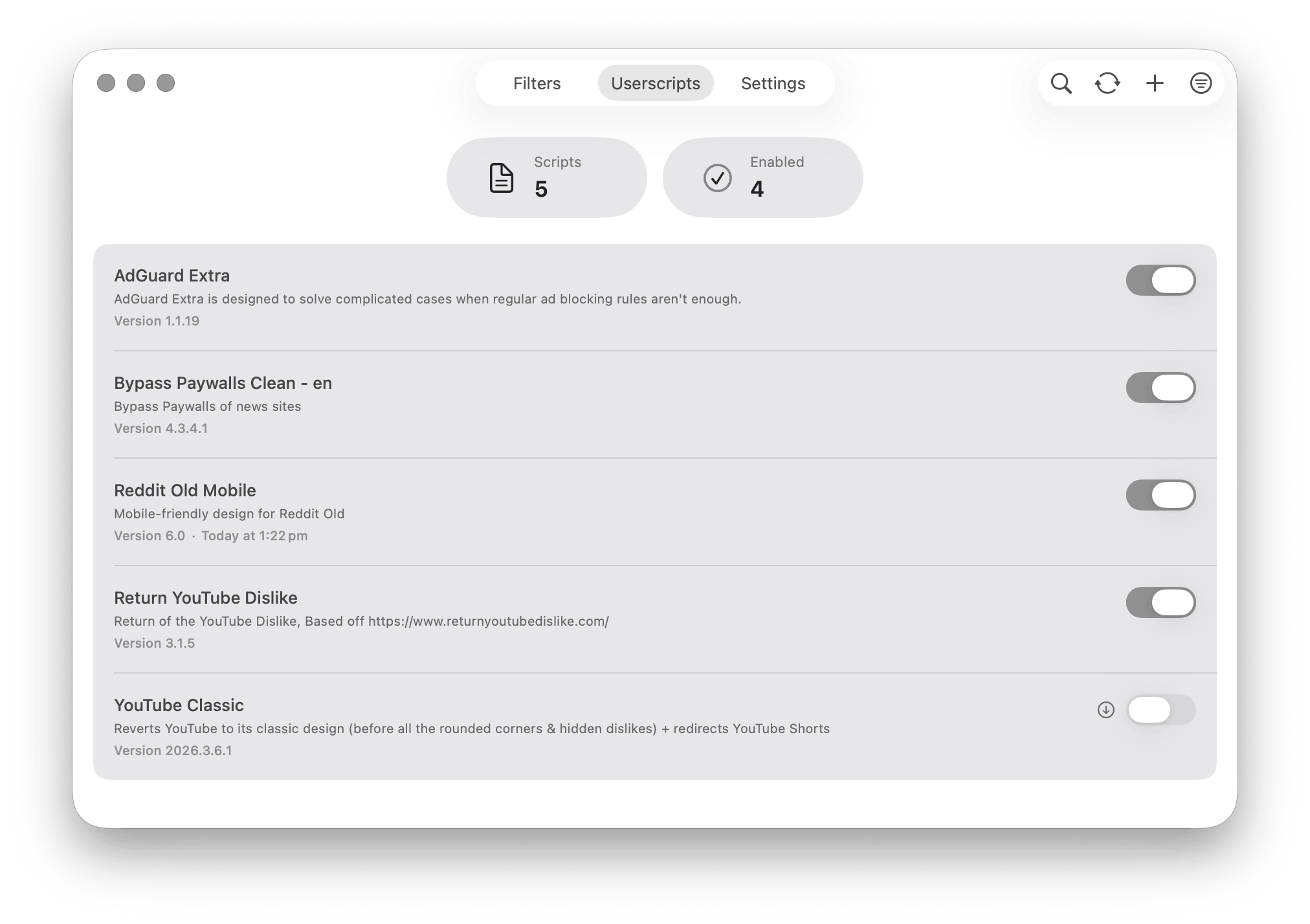
GM_getValue, GM_setValue, GM_xmlhttpRequest, GM_addStyle, GM_registerMenuCommand, and the rest. Patch a stubborn site, store settings, make a network request..user.css) applied as native CSS. No JS wrapper.The same app on iPhone and iPad
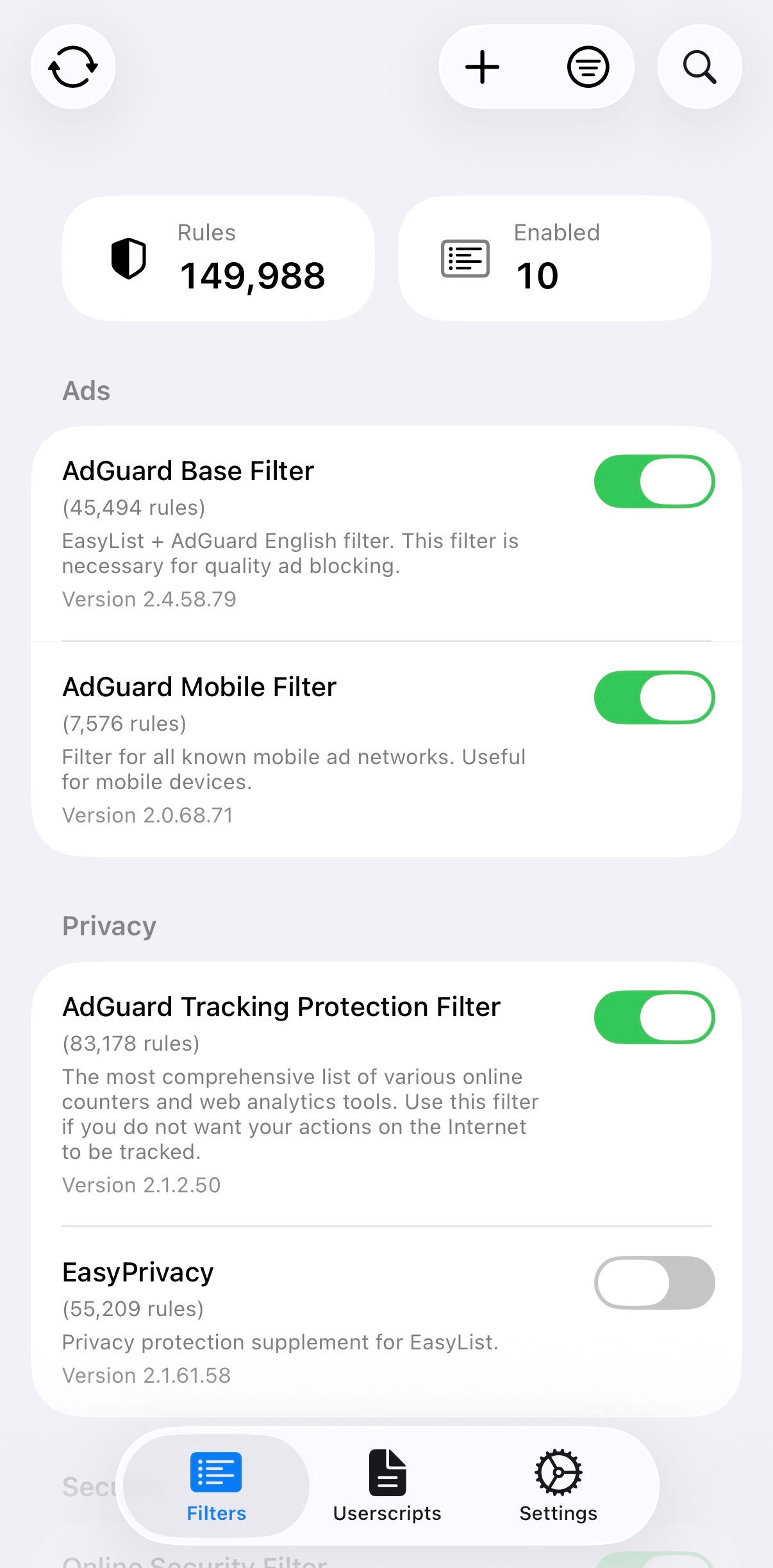
How it compares
| Feature | wBlock | uBlock Origin Lite | Wipr 2 | AdGuard Mini / iOS |
|---|---|---|---|---|
| Architecture | Safari Content Blocker + app/web layer | Manifest V3 web extension | Safari Content Blocker + Wipr Extra | Safari Content Blocker + web extension |
| Rule capacity | 750k (5×150k) | Browser-dependent rulesets | 4 blocklist extensions | 900k Mini; iOS six 150k slots |
| Filter updates | Automatic, 1h to 7d | Extension updates | Automatic, twice weekly | Automatic; real-time needs Pro |
| Custom lists | URL, paste, or file | Limited | No | Yes |
| Element zapper | Yes | Cosmetic picker | No | Yes |
| Userscripts | Yes | No | No | No in Mini / iOS |
| Sync | iCloud | No | Settings sync | No |
| Open source | Yes, GPL-3.0 | Yes, GPL-3.0 | No | License varies |
| Storage | Protocol Buffers + LZ4 | Packaged rulesets | Closed | App storage + JSON |
The full write-up lives in the Safari ad blocker comparison.
Under the hood
wBlock is built on Protocol Buffers (libprotobuf) with LZ4 compression for filter serialization. Asynchronous I/O through Swift concurrency (async/await, Task, Actor isolation). Streaming serialization to disk keeps peak memory low during compilation. It uses SafariConverterLib v4.3.0 for AdGuard-to-Safari rule conversion and bundles the AdGuard scriptlet engine for advanced blocking. VoiceOver and Dynamic Type are supported throughout the SwiftUI app. Rule distribution across all five extension slots is automatic, so you don't think about capacity until you're well past the limits of every other Safari blocker.
Questions
How does wBlock compare to other ad blockers?+
See the Safari ad blocker comparison: wBlock vs uBlock Origin Lite, Wipr 2, and AdGuard's Safari apps.
Can I use my own filter lists?+
Yes. Add AdGuard-compatible lists by URL, paste rules directly, or import a file. The recommended defaults already cover most ads and trackers. Enable more only if you have a specific gap (regional filters for non-English sites, Annoyances filters for cookie banners and popups).
Does wBlock slow down Safari?+
No. Matching runs in Safari's content-blocker engine in a separate process. Idle overhead is around 40 MB and page loads stay on the native blocker path.
Do userscripts work on iOS and iPadOS?+
Yes. The userscript layer runs through Safari Web Extensions on all platforms with the common Greasemonkey APIs.
What are Tube Cleaner and Player Cleaner?+
Optional built-in userscripts that expose Safari's native controls on a site's existing media element. Tube Cleaner targets YouTube. It lets YouTube create its own <video> and MSE stream, then applies native controls and hides YouTube's chrome before it paints. It mirrors chapters and subtitles into Safari's media menus, skips sponsor segments through SponsorBlock's privacy-preserving hash-prefix API, and can optionally replace clickbait titles and thumbnails via DeArrow. Player Cleaner handles custom players (video.js, JW Player, Plyr, and more), including shadow-root players. It remembers playback speed, volume, subtitle language, and resume position per site. Both ship disabled. Enable them in the Userscripts tab.
How do I block Twitch ads?+
wBlock bundles the AdGuard Extra userscript (disabled by default). Enable it in the Userscripts tab and reload Twitch. This is best-effort community-style blocking. Twitch changes how ads are served often, so it may break until the userscript catches up.
Should I use wBlock alongside another ad blocker?+
No. Use one general-purpose content blocker at a time. Two blockers can make conflicting changes, duplicate rule evaluation, and make troubleshooting impossible when something breaks or an ad survives. The uBlock Origin README explicitly advises against stacking. AdGuard warns it can cause slower loading and broken sites.
How often do filters update?+
Configurable from every hour to every 7 days, or manual. On macOS a launch agent keeps checking while the app is closed. On iOS and iPadOS, checks are best-effort.
App Store or Homebrew?+
The App Store build updates automatically and is usually preferred. The DMG and Homebrew cask (brew tap 0xcub3/wblock && brew install --cask wblock) expose the same macOS features.
Is the element zapper available on iOS and iPadOS?+
Yes. Open the wBlock extension popup in Safari and tap "Activate Element Zapper."
wBlock is free and open source. Sponsor development, report an issue, read the privacy policy, or join the Discord.
Built with help from @arjpar, @ameshkov, and @shindgewongxj.